(!) Since support from Microsoft will end on January 14 2020, Windows 7 user might not be able to use MISUMI website effectively. Please consider to update your system as ‘MISUMI Website system requirement’.


Web User Registration
User Type of MISUMI Website
| Visitor | CAD user (can’t purchase) |
Corporate User (Only Company) |
|
|---|---|---|---|
CAD DOWNLOAD

|
 |
 |
|
Price Check on e-Catalog

|
|
|
|
Online Quotation

|
|
|
|
Online Order

|
|
|
|
|
Upgrade user |
Corporate user Registration Click here |
To Obtain Purchase Order Authorization
If you can request quotation, but not be able to place an order, or if your company already has corporate user account, and would like to add another member, please fill in the authorization form and send to csregister@misumi.co.th
If you have any concerns, please contact Email: csregister@misumi.co.th Tel: 1382 ext. 316 (038-959200 ext 316)
Authorization FormWe require authorization form in order to prevent unauthorized person to order wrongfully.
Customer Code of MISUMI
MISUMI assigns 6 digit customer code to each company.
If you don't know your company's customer code, please contact Email: cs@misumi.co.th Tel: 1382 Press 1 (038-959200 Press 1)
Payment Methods
- Credit Card
-


- Bank
-


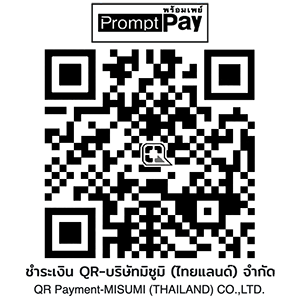
- Prompt Pay
-


Social Media
MISUMI Contact
Copyright © MISUMI Corporation All Rights Reserved.